Apple HomeKit / Apple Home Key Compatible Locks
What if unlocking your front door with Apple Home Key felt more like tapping your Apple Wallet than turning a key? Apple still hasn’t made its own smart lock, but it has quietly built a feature that makes up your iPhone or watch your next house key. Let’s explore which locks already work with Apple Home Key.
Key Takeaways
- Apple Home Key turns your iPhone/Apple Watch into a digital key, no need for physical keys.
- Works with select smart locks from brands like Schlage, Yale, Aqara, Level, Lockly, and ULTRALOQ.
- Home Key is stored in Apple Wallet and integrates with Siri and HomeKit automation.
- Newer locks (2024–2025) support Matter, NFC, and easy retrofit installation for existing doors.
- Multiple unlocking methods are available: tap with iPhone/Apple Watch, keypad, fingerprint, and traditional key.
- Convenient & secure: auto-lock, virtual keys, remote access, and alerts make your home safer.
- Compatibility matters: check your iPhone/iOS version and the specific lock model before buying.
Best Apple Home Key Compatible Locks (2026)
If you're looking for the best Apple Home Key compatible smart lock, these are our top recommendations:
| Smart Lock | Best For |
|---|---|
| Aqara U400 | Best Overall Apple Home Key Lock |
| Schlage Encode Plus | Best Security |
| Level Lock Pro | Best Hidden Smart Lock |
| Yale Assure Lock 2 Plus | Best Traditional Keypad Lock |
| Aqara U200 | Best Retrofit Lock |
| Lockly Visage Zeno | Best Facial Recognition |
| ULTRALOQ Bolt NFC | Best Value |
| Aqara A100 | Best Mortise Lock |
What is the Apple Home Key?
-
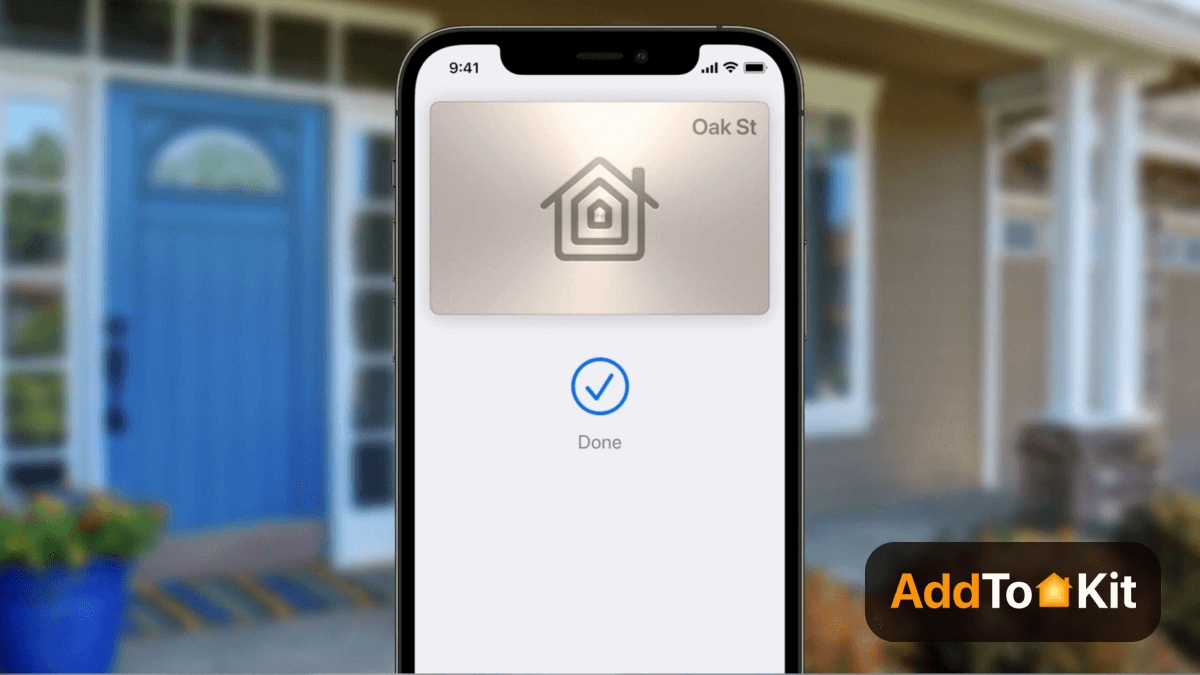
Apple Home Key is a smart home feature introduced in iOS 15 that lets you unlock supported smart locks using your iPhone or Apple Watch. With this, you no longer need to carry a physical key around or be anxious about losing it. Your digital home key is stored securely in the Apple Wallet, right alongside your credit cards, car keys, hotel keys, and office passes.
-
With Home Key, you can simply hold your iPhone or Apple Watch near the lock to open your door. No apps, passwords, or extra steps are needed.
-
Apple Home Key also uses Siri and HomeKit automation, allowing it to work smoothly with third-party smart home devices for a fully integrated home experience.
-
Whether you're entering your home, office, or hotel room, Apple Wallet organizes all your keys in one place, making access faster, safer, and more convenient.
If you want to learn more about Apple Home Key, check out our full guide.
Apple HomeKit compatible locks
Sometimes, you are in search of the best HomeKit compatible locks for 2022. So, we have listed some of the greatest options for you. It lets you lock/unlock your home remotely using your iPhone. Further, these door locks allow the user to control using Siri by integrating with the Home App. Recently, many companies integrated with Apple HomeKit like August, Yale, Kwikset, Eufy, VOCOlinc, and more. Here are the Best HomeKit enabled devices 2023
VOCOlinc Apple HomeKit Door Lock
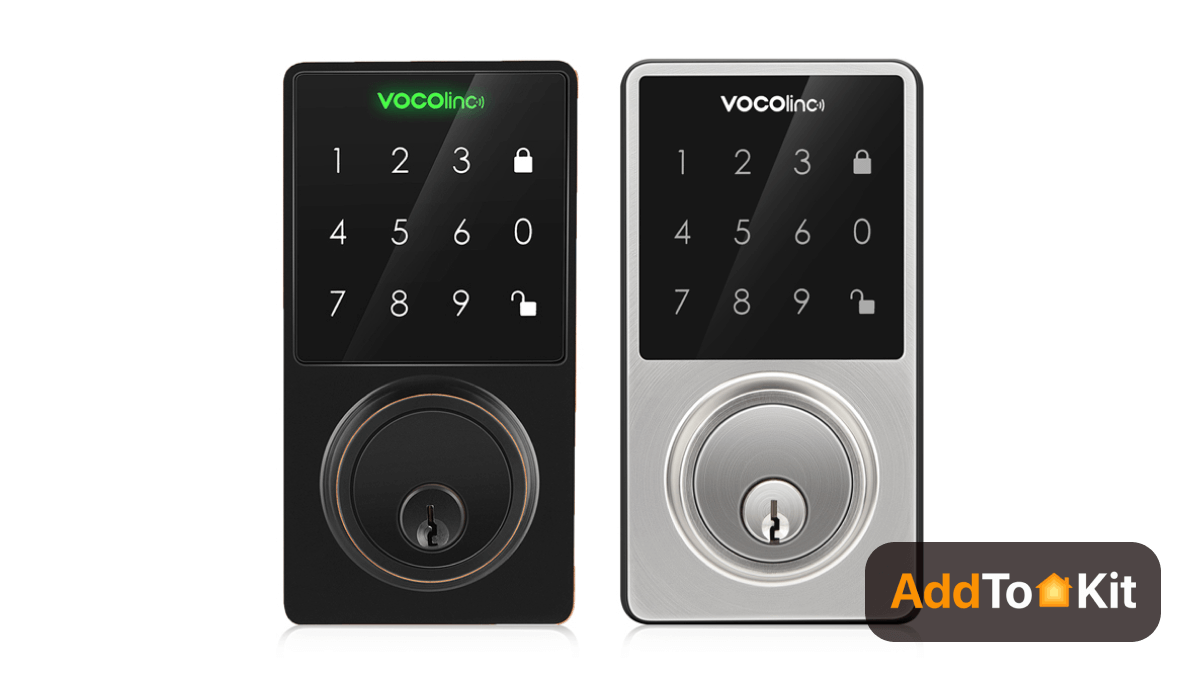
VOCOlinc Apple HomeKit Door Lock is uniquely designed with a touchscreen panel. This iPhone-controlled smart door lock works with newer iOS models like iOS 13, iOS 14, and iOS 15. Its LED-backlit touchscreen panel is very useful when there is no light. Don’t worry about replacing your deadbolt lock with the smart lock. It is easier than you imagine. So, don’t have to worry about losing keys or the spare keys anymore. Also, you have full control to grant selective access to others and you can give limited access to them.
Eufy Security iPhone Controlled Smart Door Lock
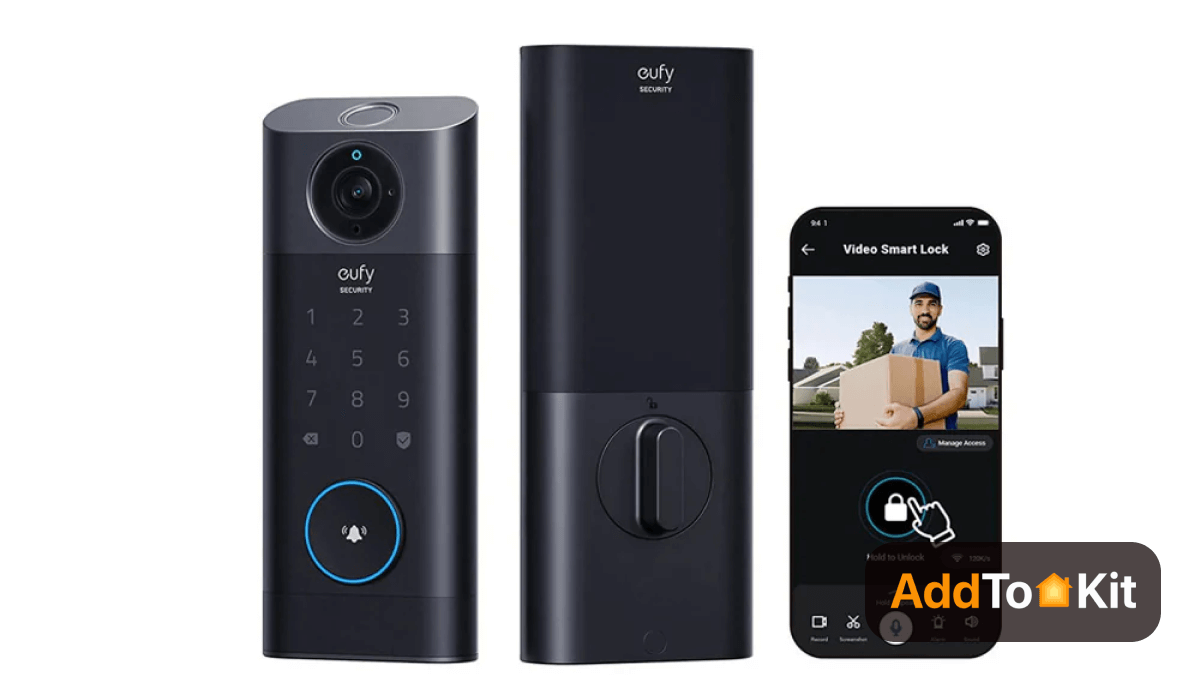
Do you want to enter your home within 0.3 seconds? Then, the Eufy Security iPhone door lock is a perfect choice for you. It has a fingerprint locking system. If you want to control your home security from anywhere using the Eufy Security App, you can connect it with Wi-Fi. It also has a built-in sensor so that it detects the status of your door and automatically locks it when you leave. There are three methods of locking and unlocking the door using a fingerprint, Security App, or Keypad pin code.
Yale Assure Lock SL
Home security is the first thing that we want to consider. Yale Assure smart lock is the best iPhone smart lock that you should consider buying in 2022. You can lock/unlock your door from anywhere now. Ask Siri to lock/ unlock your door if you want to have voice control. This smart lock has a touchscreen pad so that you can use it in case you don’t have a phone using the 8 digits pin code.
Moreover, it has a 9V terminal for emergency charging. And, it acts as a troubleshooter when the Yale lock has been locked out given a low battery. What about sharing the lock’s access to others? Don’t worry. It has 25 different pin codes to set up. You are able to lock your door using an automatic locking system, in case you have to forget to lock the door.
Yale Assure Wi-Fi Smart Door Lock
Yale Assure Wi-Fi Smart Door Lock is another Apple HomeKit compatible door lock from Yale. You can lock/ unlock your door through a keypad or Yale Access app on your iPhone or Apple Watch. You can also connect it to your favorite voice assistants such as Google Assistant and Amazon Alexa. Don’t worry about any additional hub. You don’t need any hub as it has a simple W-Fi Connect Bridge. Also, it uses digital keys to share access with others.
Kwikset Premis Door Lock
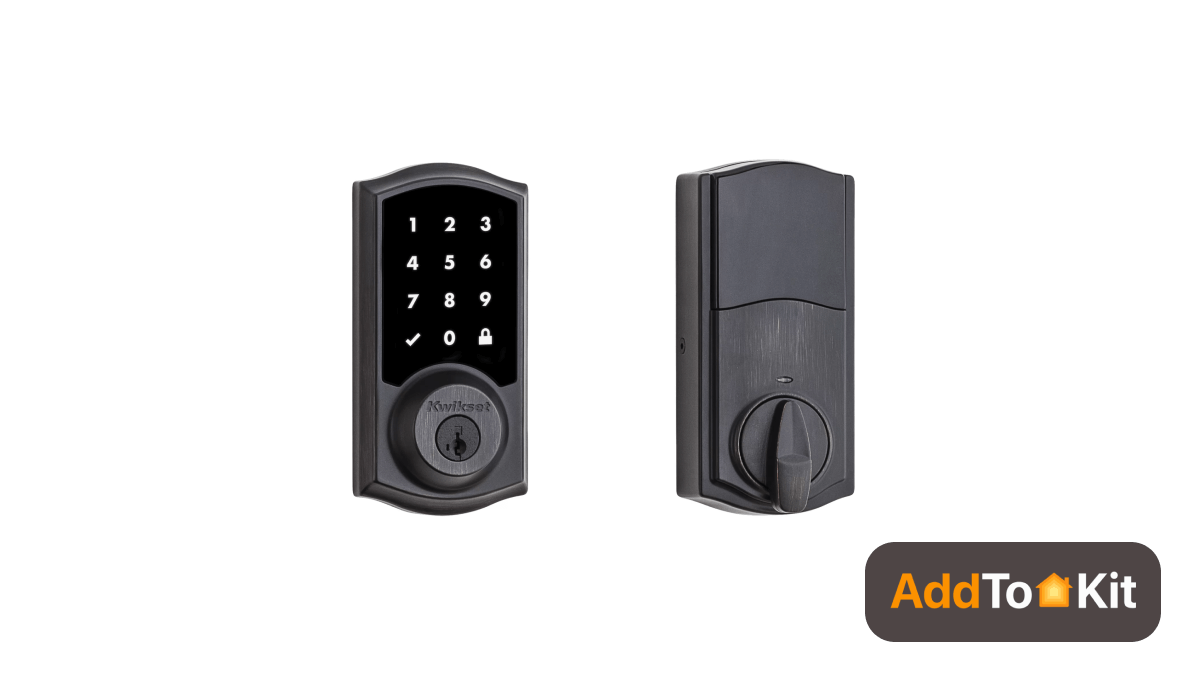
Kwikset Premis Door Lock is a smart door lock from Kwikset with Secure Screen Technology. It has wonderful features like an optional alarm, scheduled access, auto-lock, and more. You can also check the lock history, access it remotely, and monitor the activity with Siri voice control. Despite Siri voice control, you can control the Kwikset door lock using the Kwikset Premise iOS app, Apple Home Pod, or Apple TV.
Nuki Smart Lock 2.0
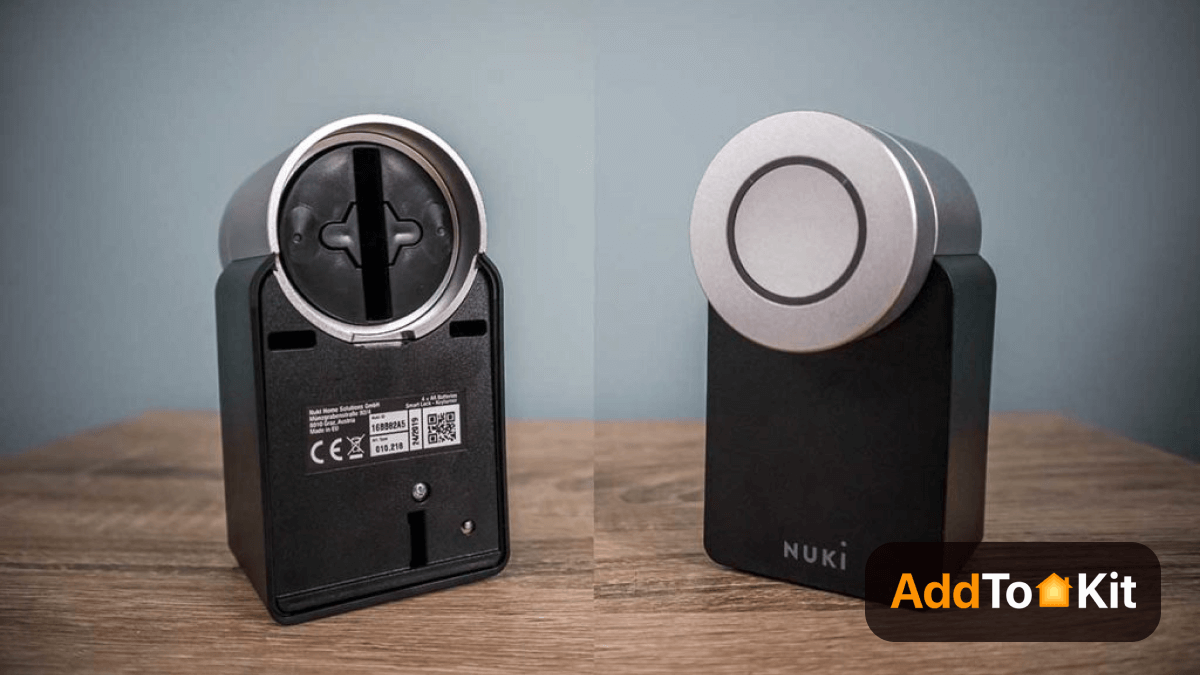
Nuki Smart Lock 2.0 offers you maximum convenience with smart retrofitting. Even if you are not at home, you can open the door to anyone. This Nuki Smart Lock turns your phone into a Smart key. And it is easy to retrofit as it mounts your Smart Lock onto your existing cylinder and key. Your friends and family don’t have to wait for you anymore as you can assign virtual keys to them with the Nuki app. Also, you can always know the status of the doors with the innovative door sensor and Nuki app.
Danalock
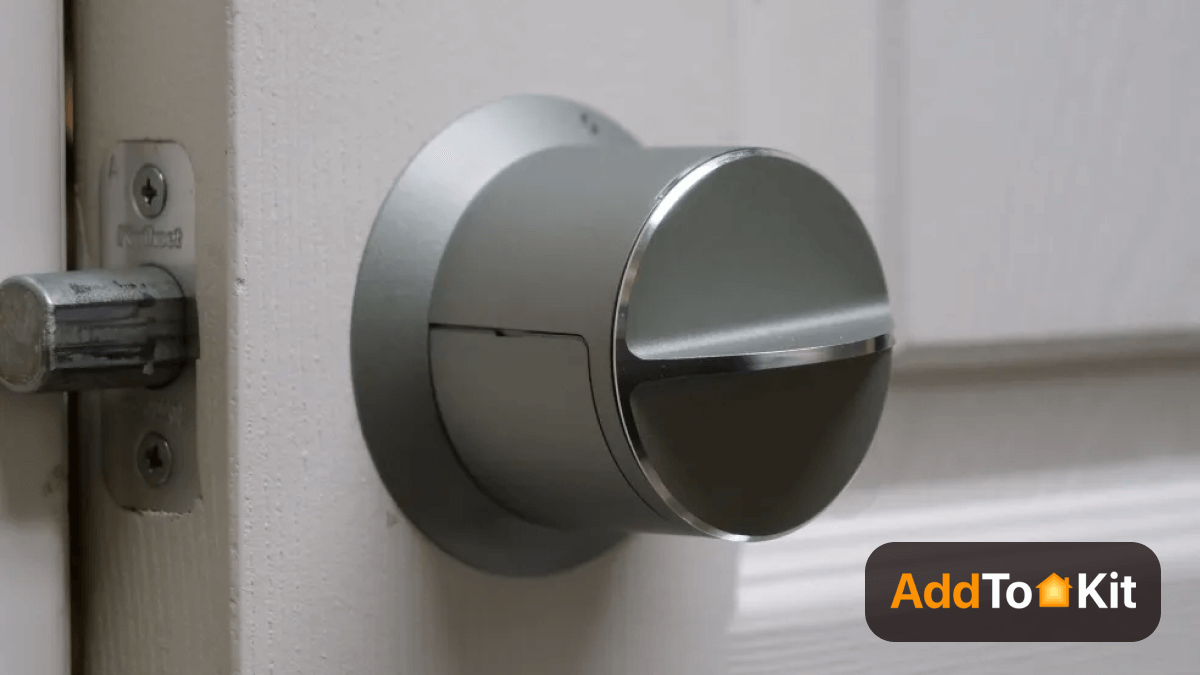
The Danalock is a powerful and stylish smart lock with a range of pleasing features. It can also integrate with popular smart home hubs. And, it can integrate with HomeKit, Bluetooth, and Zigbee technology. There is a range of smart features including twist assist, auto-unlock, and geofencing. Also, this Danalock offers a bridge (Danabridge), a wireless Bluetooth keypad (Danapad), and a universal module.
Now, you were able to learn more about Apple HomeKit enabled door locks. So, Let's see what are the Apple Home Key compatibles lock among the Apple HomeKit compatible locks list.
2026 Apple Home Key Lock Comparison
| Model | Lock Type | Connectivity | Best Feature |
|---|---|---|---|
| Aqara U400 | Deadbolt | Matter / Thread / UWB | Hands-free UWB unlocking |
| Schlage Encode Plus | Deadbolt | Wi-Fi | Grade 1 security |
| Level Lock Pro | Retrofit | Matter / Thread / Bluetooth | Invisible installation |
| Yale Assure Lock 2 Plus | Deadbolt | Matter / Thread / Bluetooth | Modular platform |
| Aqara U200 | Retrofit | Matter / Thread | European retrofit |
| Lockly Visage Zeno | Deadbolt | Wi-Fi / Bluetooth | Facial recognition |
| ULTRALOQ Bolt NFC | Deadbolt | Wi-Fi / Bluetooth / NFC | No hub required |
| Aqara A100 | Mortise | Zigbee / Bluetooth / NFC | Premium mortise lock |
What are the Best Home Key compatible Locks?
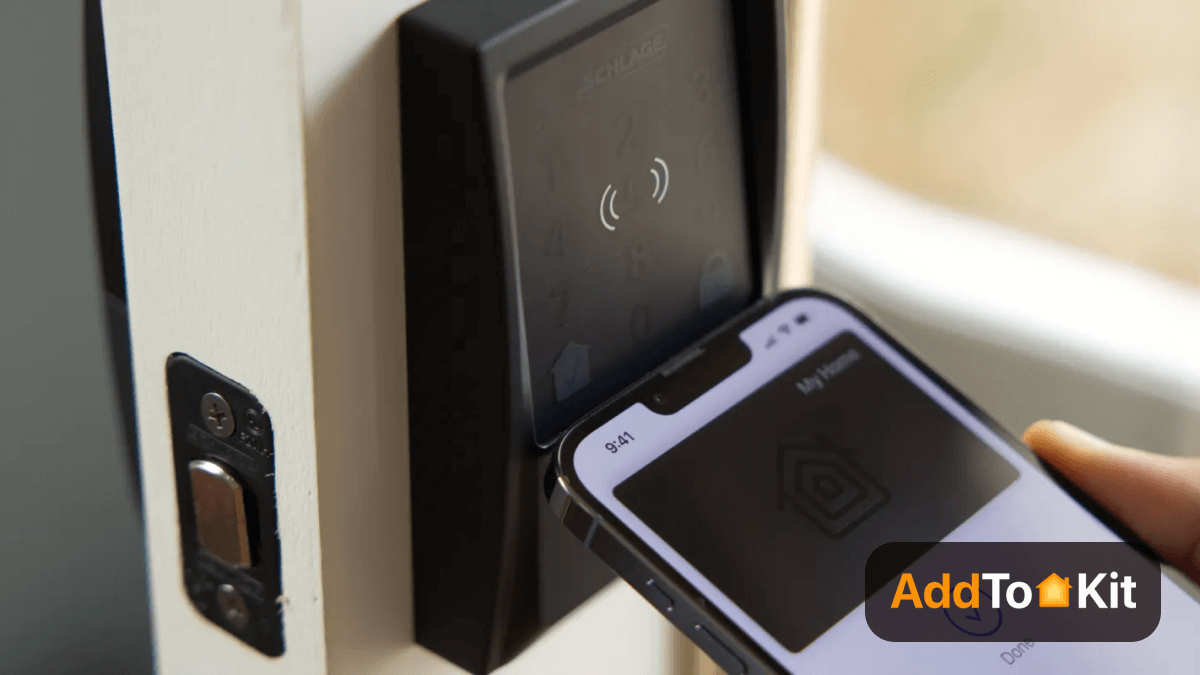
Apple has introduced a new tool with an iOS update. It will let you lock and unlock your door with your iPhone. Many top brands will introduce their smart locks as Apple Home Key compatible devices.
It is important to remember that the Apple Home Key-supported locks must be released by smart lock manufacturers. So, it will take some time after the release of the iOS 15 new update. Apple has displayed Schlage and Aqara as their partner in the iOS 15 event. Below we dive into several iOS 15 Home key compatible smart locks.
Schlage Encode Plus Smart WiFi Deadbolt
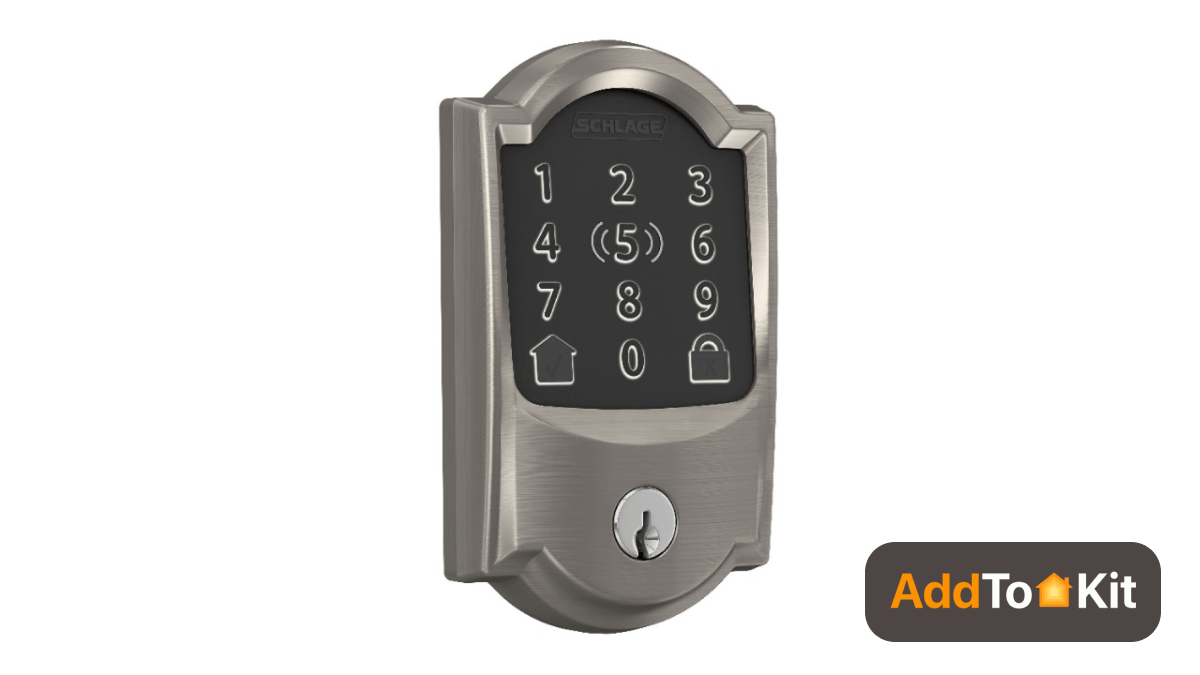
Schlage announces the first Apple Home Key compatible smart lock. Schlage Encode Plus Smart WiFi Deadbolt is an updated version of the Schlage Encode WiFi smart lock. It is changing the way you protect what matters most. You can expect the most trusted features from Schlage. The good news is the latest smart lock works with Apple home keys. So, you can lock and unlock your door using your Apple Watch®, iPhone, and HomeKit easily. Also. it can seamlessly manage codes and more with the complete Schlage Home experience, right at your fingertips.
It supports Alexa, Google Assistant, and Homekit. You can use the iOS and Android Schlage Home apps to lock or unlock the door and add or remove access codes. It is easy to install within 15 or 20 minutes. You can connect your deadbolt via Apple HomeKit, Wi-Fi, Bluetooth, or using Bridge.
Aqara A100 Zigbee Smart Door Lock
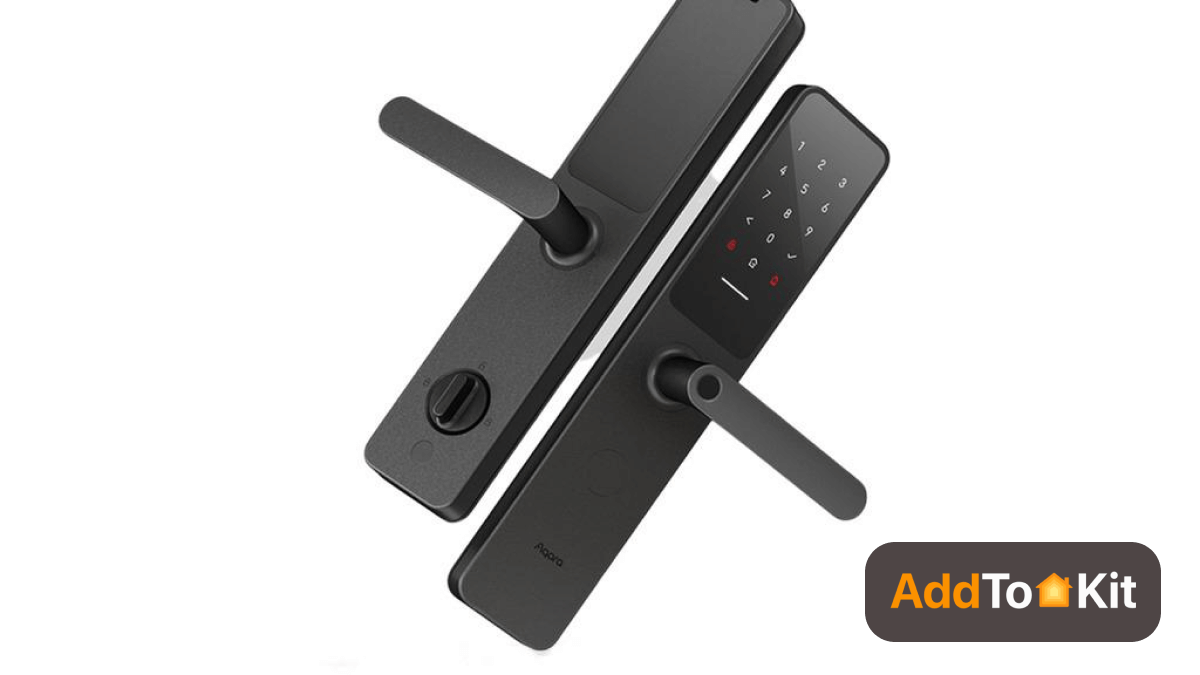
Aqara has announced its new Smart Door Lock A100 Zigbee that compatible with Apple Home Key feature. It has modern and elegant design when compared to the other Smart Locks. This Aqura A100 Smart Lock users can use Siri and Google Assistant voice Assistant to unlock their doors or check the door's status.
Another interesting feature is you can protect your keys with Face ID, Touch ID or a password in the Wallet app. There're also security features such as auto-lock and unlock, anti-peep touchpad, and open door alert. Further, it has 3D pringer print scanner with liveness detection.
New & Upcoming Apple Home Key Compatible Smart Locks
Apple Home Key support is growing quickly. Beyond early partners like Schlage and Aqara, new smart locks now offer secure tap-to-unlock using your iPhone or Apple Watch, expanding choice for HomeKit and Matter users.
Level Lock Pro
A premium, fully Home Key–ready smart lock designed for fast and reliable performance.
- Supports Apple Wallet Home Keys for tap-to-unlock.
- Works with Matter + Bluetooth for smooth smart home integration.
- Sleek, invisible design that fits standard doors.
Aqara Smart Lock U200
A next-generation Matter-over-Thread smart lock with broad compatibility.
- Apple Home Key support with iPhone/Apple Watch tap access.
- Multiple unlock options: fingerprint, keypad, PIN, NFC, and key.
- Requires a HomeKit hub like HomePod mini, HomePod, or Apple TV.
ULTRALOQ Bolt NFC (Apple Home Key)
A full Apple Home Key–capable deadbolt offering advanced NFC features.
- Tap-to-unlock with iPhone or Apple Watch, no app needed at the door.
- Supports Wi-Fi, Bluetooth, and NFC.
- Adds shareable digital keys and remote control via the Apple Home app.
- Recent update adds Android NFC tap-to-unlock, making it more flexible.
Level Lock Pro vs Schlage Encode Plus: Which Apple Home Key Lock Should You Buy
Level Lock Pro and Schlage Encode Plus are two strong Apple Home Key lock options. Level Lock Pro is a better choice if you prefer a clean, hidden design, while Schlage Encode Plus is ideal if you want a built-in keypad and simple Wi-Fi connectivity.
| Feature | Level Lock Pro | Schlage Encode Plus |
|---|---|---|
| Connectivity | Matter over Thread + Bluetooth | Built-in Wi-Fi |
| Apple Home Key | Yes, NFC tap to unlock | Yes, NFC tap to unlock |
| Built-in Keypad | No, Level Keypad sold separately | Yes, touchscreen keypad with up to 100 codes |
| Security Rating | BHMA/ANSI Grade 1 (AAA) | BHMA/ANSI Grade 1 (AAA) |
| Power Source | CR2 lithium battery | Four AA batteries, about 6 months |
| Design | Fits inside the door with a discreet deadbolt design | Visible touchscreen deadbolt |
Both locks support Apple Home Key, but they suit different users. Level Lock Pro is a good choice if you prefer a discreet design and already have a compatible Thread border router for Matter connectivity. Schlage Encode Plus connects through Wi-Fi and includes a built-in keypad, making it convenient for families and guests.
Choose Level Lock Pro if design and Matter connectivity are your priorities. Choose Schlage Encode Plus if you prefer a built-in keypad and straightforward Wi-Fi connectivity.
Apple Home Key compatible iPhones devices
The following iPhones will be compatible with the Apple Home Key as well as with the iOS 15, according to Apple.
- iPhone 13
- iPhone 13 Mini
- iPhone 13 Pro
- iPhone 13 Pro Max
- iPhone 12
- iPhone 12 Mini
- iPhone 12 Pro
- iPhone 12 Pro Max
- iPhone 11
- iPhone 11 Pro
- iPhone 11 Pro Max
- iPhone XS
- iPhone XS Max
- iPhone XR
- iPhone X
- iPhone 8
- iPhone 8 Plus
- iPhone 7
- iPhone 7 Plus
- iPhone 6S
- iPhone 6S Plus
- iPhone SE (1st and 2nd generation)
- iPod Touch (seventh generation)
Are Apple Home Key compatible locks worth it?
Yes. With Apple Home Key, you gain:
- Convenience: Unlock your door with a tap; no physical key required.
- Security: Apple Wallet securely stores your digital keys.
- Integration: Works with Siri and HomeKit automation, enabling smart home routines.
- Versatility: Expanding homes, offices, hotels, and more.
Early partner locks include Schlage and Aqara, with more manufacturers joining as iOS 15 adoption grows.
Troubleshooting Aqara U400 & U50 Unresponsiveness in Apple Home
The Aqara U400 and U50 are Matter-over-Thread smart locks offering hands-free UWB unlocking and excellent HomeKit integration. However, users occasionally report that the lock shows as "unresponsive" or "not responding" in the Apple Home app, even when the lock is powered on and nearby.
Unresponsiveness typically falls into three categories: connectivity loss to your Thread network, authentication conflicts, or firmware lag. Here's how to diagnose and resolve each:
1. Verify Your Thread Network is Active
Aqara U400 and U50 locks depend on a strong Thread connection to your HomeKit hub (HomePod mini, HomePod, or Apple TV 4K). If your Thread border router isn't online or your lock has dropped off the network, the lock will appear unresponsive.
Check your Thread network:
- Open the Apple Home app → tap your profile icon (top-right) → Home Settings → Thread → verify your Thread border router shows "Connected" (not "Not Responding")
- If your border router shows "Not Responding," restart it by unplugging it for 30 seconds, then plug it back in
- Wait 2–3 minutes for Thread network to stabilize; the lock may take an additional 1–2 minutes to rejoin
- Once your border router is online, try controlling the lock in Home again
If you have no Thread border router: Aqara U400/U50 require a Thread border router (HomePod mini or Apple TV 4K with Thread support). Without one, the lock cannot stay connected and will show unresponsive. Set up a Thread border router first before troubleshooting further.
2. Remove and Re-add the Lock to HomeKit
Sometimes the HomeKit record for the lock becomes stale or corrupted, especially after a lock firmware update or network interruption. Removing and re-adding the lock often resolves persistent unresponsiveness.
How to remove and re-add:
- Open the Apple Home app → tap and hold the Aqara lock tile → tap "Remove Accessory" → confirm
- On the Aqara U400/U50, factory reset the lock (see Aqara's manual for the reset button sequence; typically it's a 10-second hold on the physical reset button)
- Wait 30 seconds for the lock to fully power cycle
- In Home, tap "+" (Add Accessory) → scan the HomeKit code on the lock (or on the original box if the label is worn)
- Complete the pairing process; the lock will rejoin your Thread network automatically
- Once paired, test the lock by locking/unlocking it from the Home app
Why this works: A fresh pairing clears any cached network state and ensures the lock's HomeKit identity is properly synced with your home hub.
3. Update Firmware and Check Matter Certification
Aqara regularly releases firmware updates for U400 and U50 locks to fix Matter protocol bugs and improve Thread stability. Outdated firmware can cause intermittent unresponsiveness.
Check and install firmware updates:
- Open the Aqara app (not Home) → select your U400/U50 → tap "Device Settings" or "Firmware"
- If an update is available, connect the lock to Wi-Fi (as a temporary bridge) and install the update
- After the update completes, the lock will restart and rejoin your Thread network
- Wait 2–3 minutes for full reconnection before testing in Home
Verify Matter certification: Ensure your lock's HomeKit code begins with "M:" (Matter-certified). If it shows a different prefix, your unit may not have full Matter support and should be returned to the retailer or contacted with Aqara support.
4. Check HomeKit Hub Health and Distance
A weak or unstable HomeKit hub connection can cascade into lock unresponsiveness, even if the hub itself shows online.
Verify hub connectivity:
- In Home Settings → Hubs and Bridges → tap your hub (HomePod mini, HomePod, or Apple TV) → check the status (should say "Connected")
- If it shows "Standby," "Updating," or "Not Responding," restart the hub by disconnecting power for 20 seconds
- Ensure your hub is powered by a strong Wi-Fi or Ethernet connection (Ethernet is preferred for stability)
Distance from Thread border router: Aqara U400/U50 locks must stay within range of your Thread border router. If the lock is more than 30–50 meters away (or through multiple walls), it may lose Thread connection and appear unresponsive. If distance is the issue, consider adding a second Thread device (like a Nanoleaf Essentials Thread-enabled light) to extend Thread range closer to the lock.
5. Restart the Lock and Reset Network Settings
A full device restart often resolves temporary software glitches that cause unresponsiveness.
Restart the lock:
- Open the Aqara app → select U400/U50 → tap "Device Settings" → "Restart Device" (or hold the physical reset button for 3 seconds without fully factory resetting)
- Wait 1 minute for the lock to fully restart and rejoin the Thread network
- Return to Home and check if the lock responds
Reset network settings (advanced): If the lock remains unresponsive after restart, perform a network reset:
- In the Aqara app, go to "Device Settings" → "Forget Thread Network" or equivalent option (varies by firmware version)
- The lock will disconnect from Thread; wait 30 seconds
- The lock will automatically re-scan for and rejoin your Thread network
- Wait 2–3 minutes; the lock should reappear in Home as "Connected"
6. Ensure Proper Thread Topology (U50 on Zigbee variant)
Note for Aqara U50 (Zigbee variant): Some U50 models use Zigbee + Matter (Thread) hybrid connectivity. If your U50 is a Zigbee-primary model and is not Matter-certified, it may not integrate fully with Thread-based HomeKit networks. Verify with Aqara support or the product manual whether your U50 model supports native Matter/Thread or requires an Aqara hub bridge.
If your U50 requires an Aqara hub, ensure the hub is online and connected to your Wi-Fi. The hub bridges the Zigbee signal to HomeKit; if the hub is offline, all U50 locks will be unresponsive in Home.
7. Contact Aqara Support if Problem Persists
If your U400 or U50 remains unresponsive after these steps, the lock may have a hardware defect or a software issue requiring a factory replacement or manual firmware reflash.
Before contacting support, have ready:
- Current firmware version (Aqara app → Device Settings → About)
- HomeKit code (8-digit code from the back of the lock or original box)
- Thread border router model and OS version
- Date of purchase and retailer
Aqara's support team can offer a firmware rollback, replacement lock, or diagnostic steps specific to your unit.
Key Takeaways for Aqara U400 & U50
- Thread is required: Without a Thread border router (HomePod mini/Apple TV 4K), the lock cannot stay connected to HomeKit
- Firmware keeps it stable: Keep your lock's firmware up-to-date via the Aqara app; outdated firmware is the most common cause of intermittent unresponsiveness
- Restart fixes most issues: A simple device restart resolves 80% of temporary unresponsiveness problems
- Remove/re-add when stuck: If a restart doesn't work, removing and re-adding the lock to HomeKit usually clears the issue
- Check your hub first: A weak HomeKit hub connection will make any lock appear unresponsive, so verify hub health before troubleshooting the lock itself
If you're keen to use myQ Garage Opener, check out How to add myQ devices to Apple HomeKit article.
If you use Ring devices for home security, check out our guide on how to add Ring devices to Apple HomeKit.
You can easily unlock your front door with the home key feature arriving with iOS 15. When you are nearby, you will be able to unlock a compatible smart lock with a simple tap on your Apple Watch or iPhone. Also, this technology is making its way to places such as office buildings and hotels. Many smart lock manufacturers are keen to introduce new features to their smart lock such as Apple Home Key. It is a more convenient method as well as a more secure and safe method for you. So, Apple Home Key compatible Locks are worth buying for your home.
Want to know about Matter Standards, then read our Matter Standard: Add any Smart Home Devices to Apple HomeKit article.
Conclusion
Apple Home Key represents a major step forward in smart home convenience and security. By turning your iPhone or Apple Watch into a secure digital key, it eliminates the need for physical keys while offering seamless integration with HomeKit and Siri automation. Embracing Apple Home Key today isn't just convenient. It’s a glimpse into a future where your home literally opens with a tap. Considering a Yale smart lock? Check out our community discussion on Yale Assure Lock and Apple Home compatibility, including Home Key support.
Frequently Asked Questions (FAQ)
An Apple HomeKit lock lets you lock or unlock your door using the Apple Home app or voice commands via Siri. An Apple Home Key lock includes specialized local hardware such as NFC or Ultra-Wideband that allows you to tap or approach the lock using your iPhone or Apple Watch for fast access, even when the lock is offline.
The major 2026 advancement is broader adoption of Ultra-Wideband (UWB) and Matter-over-Thread connectivity. This enables compatible locks to support features such as hands-free unlocking when you approach the door with a supported iPhone or Apple Watch.
Yes. If your iPhone or Apple Watch enters Power Reserve mode, Express Mode can continue to support Apple Home Key authentication via NFC for up to 5 hours after the device powers off.
No. Local Apple Home Key unlocking works offline using NFC or supported proximity technologies. However, remote access, activity notifications, automations, and some lock management features may require an Apple Home Hub such as a HomePod or Apple TV, depending on the lock.
Apple Home Key compatible smart locks include:
- Aqara U400
- Aqara U200
- Aqara A100
- Schlage Encode Plus
- Yale Assure Lock 2 Plus
- Level Lock Pro
- Lockly Visage Zeno
- ULTRALOQ Bolt NFC
Yes. Apple Home Key can unlock compatible smart locks without an active internet connection because local authentication is handled directly between your iPhone or Apple Watch and the lock. Remote control features still require the appropriate smart home hub or internet connection.
Express Mode lets you unlock your door by tapping your iPhone or Apple Watch on a compatible Apple Home Key lock without using Face ID, Touch ID, or entering a passcode. It can also continue working through Power Reserve for up to 5 hours after a supported iPhone powers off.