Integrating Apple HomeKit with Node-RED: A Complete Guide
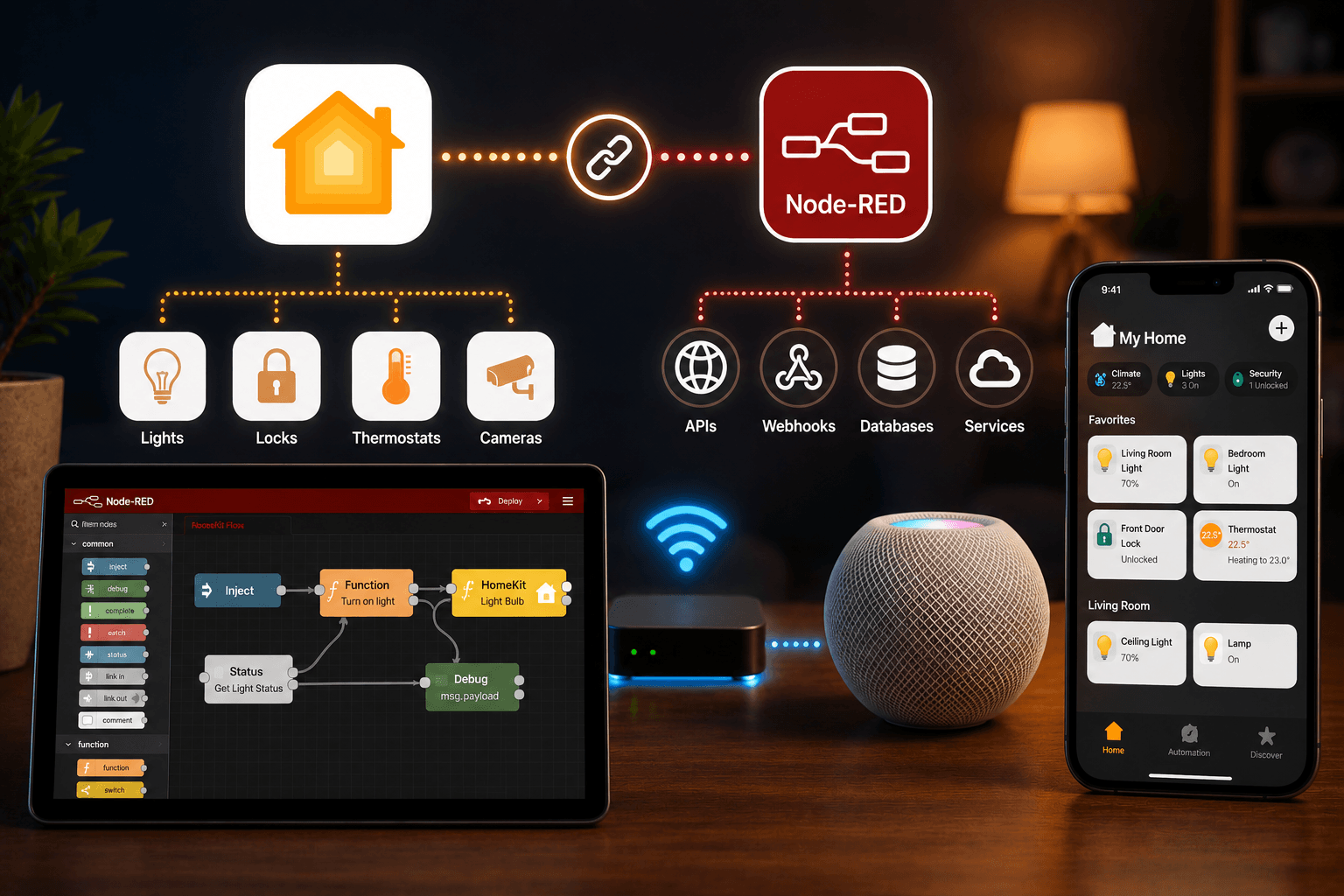

Node-RED connects to Apple HomeKit through a community node called NRCHKB (node-red-contrib-homekit-bridged), which creates virtual accessories that the Home app can see and control. This lets you bring MQTT, HTTP, Zigbee, Z-Wave, and KNX devices into Siri and the Home app without native HomeKit support.
For users within the Apple ecosystem, the Home app provides a clean interface for smart home control. However, power users with extensive accessory collections often run into device compatibility and automation limits that the Home app alone cannot solve. Node-RED offers a low-code path to pull non-HomeKit hardware into Apple Home, though this flexibility comes with real maintenance tradeoffs.
How Does Node-RED Talk to HomeKit?
The core mechanism is a community-developed node called node-red-contrib-homekit-bridged, or NRCHKB. This tool allows Node-RED to simulate HomeKit accessories and present them to the Home app by emulating a bridge.
What Is NRCHKB?
NRCHKB acts as a protocol translator. Apple's HomeKit Accessory Protocol (HAP) is secure and does not allow external tools to read data directly from native Apple devices. NRCHKB works around this by creating virtual accessories that Node-RED can both read and control. This lets you bridge hardware using MQTT, HTTP, Z-Wave, Zigbee, or KNX directly into Siri and the Home app.
How Do You Set Up Node-RED for HomeKit?
Integrating these platforms requires a functional Node-RED instance running on a host like a Raspberry Pi.
Setup Used in This Guide
The steps below assume a Node-RED instance running on Debian or Ubuntu (including Raspberry Pi OS), with the current release of NRCHKB installed via the Node-RED palette manager. If you are running a different OS or an older NRCHKB version, some menu paths or default values may differ slightly check the NRCHKB documentation for version-specific notes.
Prerequisites and Installation
- System dependencies: On Debian or Ubuntu, install the
libavahi-compat-libdnssd-devpackage to support Bonjour/Avahi discovery. - Docker option: A pre-configured Docker image is available with all necessary dependencies included.
- Node installation: In Node-RED, open the hamburger menu, select Manage Palette, and search for
node-red-contrib-homekit-bridgedto install.
Creating and Organizing the Bridge
The HomeKit bridge is a configuration node, not a standard node. To create one:
- Drag a service node onto your canvas and double-click it.
- Click the + button next to the "Bridge" field to define a new bridge.
- Set a name, a PIN code (for example,
111-11-111), and an optional port if you're operating behind a firewall.
Organization tip: A single bridge can support up to 150 accessories, but using multiple bridges to separate "Production" and "Testing" environments tends to make troubleshooting easier and reduces load on constrained hardware like a Raspberry Pi.
How Do You Pair Node-RED with Apple Home?
- In the Apple Home app, select Add Accessory.
- Since there's no QR code, tap More Options... or My Accessory Isn't Shown Here.
- Select your bridge by name and enter the PIN code you defined.
- Accept the "Uncertified Accessory" warning to complete the link.
See more: Add any devices to Apple HomeKit using OpenHAB
How Do You Configure Devices and Logic?
Once the bridge is paired, service nodes represent individual devices such as lightbulbs, switches, or thermostats.
How Do You Find a Device's Supported Characteristics?
Each service is defined by characteristics, such as Brightness or Current Temperature. To see which characteristics a node supports, send a message with the payload {"foo":"bar"} to the service node and check the debug tab for a list of valid options.
You can also scale values to match specific hardware. For example, you can override a dimmer's standard 0 to 100 range to 0 to 255 for Insteon devices, or 0 to 99 for Z-Wave hardware.
How Do You Prevent Infinite Loops?
Logic is handled through function nodes that translate inbound JSON (for example, {"On": true}) to update the Home app, and that process outbound messages when a device is controlled through Siri.
Because the HomeKit node passes all messages through, you need to use the msg.hap.context property to filter out messages that originated from Node-RED itself, rather than from the Home app. Skipping this step is the most common cause of automation loops in NRCHKB setups.
Advanced Configurations Worth Knowing
- Combined services: Add a Battery Service to a motion detector, or combine a Doorbell with a Camera to enable rich notifications that include lock and light controls for the same room.
- Siri announcements: Virtual switches can trigger URL hooks for tools like Pushcut to run unattended Siri announcements.
- Stability buffers: Sliders in the Home app send rapid updates. Adding a 500ms delay buffer in Node-RED can smooth these out before they reach physical hardware.
- Deployment: Use the "Only Deploy Modified Nodes" setting in Node-RED to maintain stability without full restarts.
For the technical specification behind this, see Apple's HomeKit Accessory Protocol documentation and the NRCHKB project on GitHub.
What Are You Actually Taking On?
This route is not "free" in terms of time and ongoing attention.
- Maintenance: You're responsible for plugin version drift and the uptime of your always-on host, whether that's a Pi or a small server.
- No official support: There are no official support channels. The project is entirely community-maintained.
- Performance ceilings: A bridge supports up to 150 accessories on paper, but hardware like a Raspberry Pi 3B+ can hit latency or memory issues well before that limit.
Node-RED vs. Homebridge
Homebridge is generally the easier choice for standard devices that already have existing plugins and don't need custom logic. Node-RED is the better fit when you need complex automation logic, custom hardware integration (such as Arduino-based lighting), or data handling that a configuration-file-based system can't support. Many advanced users run both: Homebridge for simple, well-supported devices, and Node-RED for one-off custom integrations.
Is This Worth It?
Whether NRCHKB is worth setting up depends on what you're trying to solve.
If your devices already have a working Homebridge plugin and your automations are simple, Homebridge is almost always less work to set up and maintain. There's no Linux dependency wrangling, no function-node logic to write, and version updates are generally more predictable.
Node-RED earns its complexity when you have hardware with no existing HomeKit path (custom MQTT sensors, Arduino projects, niche protocols), or when your automation logic is too complex for a plugin's configuration file. In those cases, the setup and maintenance cost is the price of getting devices into HomeKit that otherwise couldn't be there at all.
If you're unsure which camp you're in, a reasonable starting point is to check whether a Homebridge plugin already exists for your hardware. If it does, start there. If it doesn't, NRCHKB is likely your only practical route into the Home app.
Frequently Asked Questions
Can Node-RED control HomeKit devices directly? No. Node-RED can only control the virtual accessories it creates. To control native HomeKit devices, you need to set up "dummy" switches in Node-RED that trigger automations within the Apple Home app.
Is Homebridge required alongside Node-RED for HomeKit? No. NRCHKB works as a standalone integration. That said, many users find running both useful for different categories of devices.
Does NRCHKB work without an internet connection? Yes. It operates over your local network using the HAP protocol, as long as local discovery (mDNS/Bonjour) is working correctly.
What devices can I expose to HomeKit through Node-RED? Virtually anything Node-RED can communicate with, including MQTT sensors, HTTP endpoints, Zigbee, Z-Wave, and custom APIs.
Is Node-RED safe to use with Apple HomeKit? Yes. It uses the same HAP engine as other established tools like Homebridge, so the core HomeKit security layers remain intact.
Conclusion
Node-RED offers real flexibility for the Apple Home power user, acting as a translator for nearly any smart device that doesn't natively speak HomeKit. It requires a genuine investment in setup and ongoing maintenance, and it's not the right tool for every device. For straightforward gadgets with existing Homebridge support, Homebridge remains the simpler path. For everything else, NRCHKB is one of the few ways to get custom or niche hardware into the Home app at all.