How to Add SmartThings Devices to HomeKit 2026

Apple didn’t design HomeKit for SmartThings devices. But somehow, once you connect with them, everything looks and works better. You will be able to control your Samsung SmartThings devices via the Apple Home App and Siri.
In 2026, Samsung SmartThings Hub is the easiest way to add Zigbee/Z-Wave devices to HomeKit via Matter.
For older SmartThings Devices:
AddToHomeKit (Easiest Solution)
ATHBridge
Home Assistant
Homebridge
Why: Native HomeKit integration, Matter bridge, multi-protocol support (Zigbee, Z-Wave, Thread, Matter).
Support Devices: Zigbee 3.0, Z-Wave 800 series, Matter 1.5
For older Smartthings devices, There are 4 ways to create Samsung SmartThings Apple HomeKit integration,
AddToHomeKit
SmartThings AddToHomeKit is an ideal way for those who want to add their SmartThings devices to the Apple Home App and Siri. You can control your Samsung SmartThings devices with the Apple Home App and Siri voice control easily.
To give you a basic explanation, AddtoHomeKit is a software solution that provides thousands of plugins and step guides to add devices to HomeKit. Honestly, one of the best things I have tried so far. The user interface is amazing, and you can find any plugin for almost any brand out there!
Why Choose AddtoHomeKit?
- Overcome the limitations of Homebridge.
- Step-by-Step guide for easy installation.
- Hassle-free experience.
- Add any Smart Home devices to Apple Home.
- Easy to use solution.
HOOBS Solution
HOOBS (Homebridge Out Of the Box) is a user-friendly platform. It simplifies the process of setting up and managing Homebridge. Simply, it is a popular open-source software. Also, it allows you to integrate non-HomeKit devices into Apple HomeKit and create HOOBS SmartThings integration easily.
- Quickly transform your non-HomeKit smart devices into HomeKit accessories.
- It can be controlled through the Apple Home app or with Siri voice commands.
ATH Bridge – Recommended Devices Solution
ATH Bridge is an affordable and simple device solution to add your SmartThings devices to Home Kit. Not only SmartThings devices, but you can also add any devices to Apple HomeKit. This is a special compiled and pre-flashed Homebridge server. You can simply download the plugins, configure it and that’s it.
Why choose ATH Bridge?
- Affordable Solution.
- Open Source.
- Requires no coding.
- Over 2000+ device plugin.
- Beginner friendly.
HomeBridge Solution
You can use HomeBridge, an open-source software platform, to integrate non-HomeKit compatible devices into Apple HomeKit. If you’re a technical user, this is a convenient solution. This acts as a bridge between non-HomeKit devices and HomeKit.
Check here to learn how to add SmartThings devices to HomeKit using Homebridge.
Home Assistant: The All-in-One Universe
Home Assistant is the most comprehensive smart home platform. It manages every protocol, every brand, and every device type. If you want absolute control and don't mind complexity, this is it.
What It Does
Home Assistant runs on a Raspberry Pi or NAS and manages Zigbee, Z-Wave, Wi-Fi, Thread, Bluetooth, MQTT, ESPHome, Matter—everything simultaneously. It exposes devices to HomeKit (via built-in HomeKit integration), Alexa, Google Home, and others. It's like the operating system for your entire smart home.
With Home Assistant, you can create automations that no other hub supports: trigger lights based on time + weather + presence + mode + custom sensors.
Pros & Cons
Pros:
- Manages ALL smart home protocols and devices
- Most powerful automation engine (unlimited complexity)
- Integrates with HomeKit, Alexa, Google Home, Home Connect, Tuya, SmartThings, Sonos, and 400+ services
- Completely open-source and free (no subscriptions)
- Active 10+ year community with excellent documentation
- Fully local control (no cloud dependency)
- Can bridge non-HomeKit devices to other ecosystems (e.g., expose Zigbee to Google Home via Matter)
- Mobile app for remote control
- Can run alongside other hubs (SmartThings + HA + Homebridge on same network)
Cons:
- Extremely steep learning curve (YAML configuration, automations, scripts)
- Setup takes 2-3 hours for beginners (setup.py, config files, troubleshooting)
- Requires ongoing maintenance (monthly updates, monitoring, bug fixes)
- HomeKit integration is good but not as seamless as native (slower state sync, occasional connection issues)
- Overkill if you only have 5-10 devices (SmartThings is simpler)
- Debugging complex automations requires coding knowledge
- Requires leaving hardware running 24/7 (~10-20W power consumption)
- No phone support (community-driven only)
Install Home Assistant | Documentation
SmartThings Station Pro
SmartThings Hub is Samsung's smart home platform. For HomeKit users, SmartThings acts as a Matter bridge — it translates Zigbee and Z-Wave signals into HomeKit commands, letting you control all your non-HomeKit devices (like Philips Hue, IKEA Trädfri, Aqara sensors, Z-Wave switches) directly from the Apple Home app and Siri.
Unlike AddToHomeKit or Homebridge (which feel like workarounds), SmartThings is a native, multi-protocol hub built for this exact purpose. In 2026, it's the easiest and most future-proof solution.
This guide covers everything: which SmartThings hub to buy, step-by-step HomeKit setup, device compatibility, cost breakdown, and what changed in 2026 (Matter 1.5 cameras, API pricing).
SmartThings Hub Comparison 2026
| Hub Model | Release | Matter Support | Device Limit | Best For | Status |
|---|---|---|---|---|---|
| SmartThings Station Pro | 2026 | Matter 1.5 (native) | 200+ Zigbee, 100+ Z-Wave | Most users (recommended) | Current model |
| SmartThings Hub V3 | 2019-2024 | Matter 1.3 (via firmware) | 150+ Zigbee, 50+ Z-Wave | Budget-conscious, existing users | Still supported |
| SmartThings Hub V2 | 2015-2019 | Limited Matter support | 100+ Zigbee, 30+ Z-Wave | Not recommended (outdated) | Legacy |
| Hubitat Elevation | 2018-present | Native Matter | Unlimited | Power users, advanced automations | Competitor |
| Aqara Hub M3 | 2021-present | Native Matter | 100+ Zigbee (Zigbee only, no Z-Wave) | Aqara ecosystem users | Competitor |
| Home Assistant | 2013-present | Via HomeKit integration | Unlimited | Tech enthusiasts, most powerful | Competitor |
What You Can do With SmartThings Apple HomeKit Integration
Is SmartThings HomeKit compatible? The answer is yes, and you can do a lot when Samsung SmartThings is integrated into HomeKit. Let's explore some things about Smart Things Home Kit integration.
- Control and manage Samsung SmartThings Devices – You can control all of your SmartThings devices from the Home App directly.
- Check device status – You can check the device status from Apple Home App.
- Automate your SmartThings devices – You can set up automation in various rooms of your house.
- Use Siri for voice control – You can use Siri to control your SmartThings Devices.
If you’re a technical user, you can add your SmartThings devices to Apple Home using the guide below.
Add SmartThings to HomeKit Using AddtoHomeKit
- Visit the AddtoHomeKit Website.
- Select the SmartThing Ecosystem.
- Choose your preferred Solution.
- Choose your preferred Operating System.
- Choose your preferred Plugin.
- Install the SmartThings plugin.
- Follow on-screen instructions.
Connect SmartThings to HomeKit Using HomeBridge
Homebridge is one way to add your SmartThings devices to HomeKit. You need to install Apple HomeKit, SmartThings Homebridge on your computer. Let's see more about SmartThings, HomeKit Homebridge.
- Install the Homebridge on Mac/PC.
- Open the Homebridge UI.
- Go to the “Plugins option”.
- Search the SmartThings Plugin.
- Install the HomeBridge SmartThings Plugin.
- Configure the plugin.
- Restart Homebridge.
Make sure to follow a more comprehensive guide to add SmartThings to HomeKit with HomeBridge.
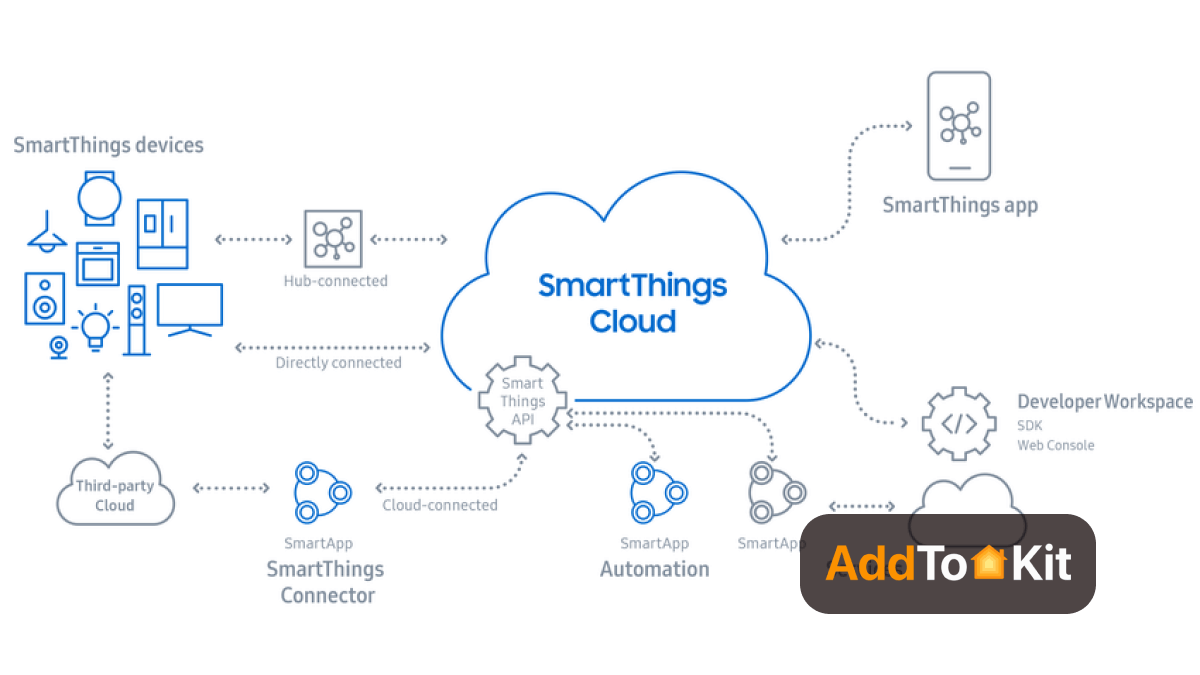
Now you can integrate Roborock HomeKit, Dyson HomeKit using Homebridge. Then, let's see how to add your devices to HomeKit using HOOBS, one of the device solutions.
Add SmartThings to HomeKit using HOOBS
Follow these steps to connect Samsung SmartThings to HomeKit using HOOBS
- Connect HOOBS to your home network.
Connect HOOBS to your WiFi network or directly to your router using an Ethernet cable.
- Create a HOOBS account.
You need to create an admin account to set up HOOBS. Visit hoobs.local for Mac or visit hoobs for Windows. Enter your credentials and click Next.
- Install the SmartApp.
You can follow these steps to install the SmartApp.
- If you are a new SmartThings user, enable Github integration. You will find the settings button once the integration is enabled. If you are outside the US, use the provided link for assistance.
- Access your SmartThings account through the SmartThings IDE.
- Select your hub under My Locations.
- Proceed with manual installation.
- Click on My SmartApps.
- Copy the code from the provided source.
- Click '+ New SmartApp' and select the 'From Code' tab.
- Paste the copied code here.
- Click the 'Create' button at the bottom left corner.
- Next, go to App Settings.
- Navigate to OAuth and enable OAuth in the Smart App option. Select update.
- Save the settings and click 'Publish' to successfully publish the code.
- Configure the SmartApp.
You need to configure the SmartThings Mobile App to work with Homebridge:
- In the SmartThings Mobile App, tap on the sidebar and select SmartApps.
- Tap on the '+' sign.
- Select Homebridge V2.
- Then you can see the Define Device Types Option to select the type of device you’re integrating into HomeKit.
Once you have added your devices, proceed to the next step. Tap on the sidebar and select SmartApps within the App.
- Tap on Homebridge V2.
- Tap on 'Render the platform data for Homebridge config.json. This will generate your App URL, App ID, and App Token information. Keep these for the next step.
- Install and configure the SmartThings plugin to integrate specific devices. (You need to install the corresponding plugins on HOOBS)
Use the HOOBS plugin screen on the HOOBS homepage to find the necessary plugins.
- Install the necessary plugins.
- Check for updates for any installed plugins on this screen.
- Install the plugin 'homebridge-smartthings-v2'.
- Enter the previously noted App URL, App ID, and App Token information in the corresponding fields.
Congratulations! Apple HomeKit and Samsung SmartThings are now successfully integrated.
Comparison of the Solutions
| Feature | AddtoHomeKit | ATH Bridge | HOOBS | HomeBridge |
|---|---|---|---|---|
| Ease of Setup | Provides step guides and plugins | Simple setup, pre-configured | Moderate, user-friendly UI | Complex, requires CLI knowledge |
| Apple HomeKit Compatibility | Aids in HomeKit integration | Yes, acts as a bridge | Yes, supports plugins | Yes, supports plugins |
| Supported Devices | Works with various smart home ecosystems | Connects many Zigbee & Matter devices | Broad device support via plugins | Maximum flexibility with plugins |
| Plugin Availability | Limited to supported integrations | Limited but growing | Thousands of plugins | Thousands of plugins |
| Customization | Minimal, designed for simplicity | Moderate, some configuration | High, UI for customization | Maximum, CLI-based customization |
| Platform Requirements | Cloud-based, no local hardware needed | Requires ATH Bridge hardware | Runs on Raspberry Pi, macOS, Windows, Linux | Runs on Raspberry Pi, macOS, Windows, Linux |
| Price | Subscription-based | Hardware purchase | Free, open-source | Free, open-source |
| Best For | Users wanting an easy, cloud-based HomeKit integration | Users looking for a dedicated hub solution | Those who want easy installation with UI | Advanced users who prefer full control |
Want to find the best Smart Home Ecosystem? Let's look at the differences between SmartThings and Apple HomeKit.
How SmartThings Hub Bridges Zigbee/Z-Wave to HomeKit via Matter
The magic: SmartThings Hub acts as a "translator" between legacy protocols and Apple HomeKit.
The Bridge Architecture (2026)
-
Your Zigbee/Z-Wave devices (lights, locks, sensors) connect to the SmartThings Hub via their native protocol
-
SmartThings Hub processes commands locally (no cloud required for basic control)
-
SmartThings exposes devices via Matter protocol (not Zigbee/Z-Wave directly)
-
Apple HomeKit reads Matter devices and displays them in the Home app
-
You control via Siri/Home app** as if devices were native HomeKit
Key advantage: This bypasses the old "Homebridge workaround" model. SmartThings natively understands both Zigbee/Z-Wave AND Matter, so the bridge is built-in, not bolted-on.
Why This Matters (vs. Homebridge)
| Aspect | SmartThings + Matter | Homebridge + Plugin |
|---|---|---|
| Architecture | Native multi-protocol hub | Software bridge on computer |
| Reliability | Managed device (Samsung) | Depends on computer stability |
| Setup Complexity | Plug-and-play (15 min) | Technical setup (1-2 hrs) |
| Future-Proof | Matter 1.5 native (newest) | Plugin-dependent (behind curve) |
| Multi-Protocol? | ✅ Zigbee + Z-Wave + Thread + Matter | ⚠️ Depends on plugins |
| Cost | $70 (one-time) | $50-80 + computer electricity |
Bottom line: SmartThings is the 2026 standard. Homebridge is the legacy workaround.
Samsung SmartThings vs Apple HomeKit
The choice between SmartThings and HomeKit will depend on your specific needs and preferences. Consider the factors that matter most to you to make the ideal choice for your home. If you create SmartThings HomeKit Integration, you can do many things with Apple HomeKit.
Apple HomeKit
- Hub or no Hub: No hub is required; Apple devices act as hubs
- Security: Strong user data encryption
- Device Compatibility: Limited but growing
- Companion Phone App: User-friendly and easy to use
- Voice and Remote Control: Siri voice control; limited assistant compatibility
Samsung SmartThings
- Hub or no Hub: Requires a hub for communication with devices
- Security: Less secure; allows Homebrew integrations
- Device Compatibility: Extensive compatibility and integration options
- Companion Phone App: Confusing and less user-friendly
- Voice and Remote Control: Compatible with Google Home and Amazon Alexa; cloud-based remote control
As a HomeKit nerd, you can take advantage of both home automation systems. Also, if you're an Alexa Smart Home device user, you can find out how to add your Alexa Smart Home devices to HomeKit.
Did you know that the SmartThings iOS app now adds Matter support? If you want to know more about the latest update, please find below.
SmartThings iOS App Now Adds Matter Support
The SmartThings platform added Matter support in October 2022. It allows SmartThings hubs to integrate with Matter-enabled smart home devices.
Also, users can now control these SmartThings Matter devices connected to a HomeKit SmartThings hub using their iPhone, iPad, or Apple Watch. Yeah! Matter released the Samsung SmartThings Station, a hub for Matter products. So, Smart Things Home Kit Matter no longer matters to you.
- Matter standard was developed by Amazon, Apple, Google, and other smart home companies.
- Users can download the SmartThings app from the App Store for free
- Apple's built-in Home app is also Matter-compatible.
- It is important to have iOS 16.1 or later installed for Matter support.
Matter 1.4 Support in SmartThings
SmartThings has integration with Matter 1.4, which introduces improved device setup with NFC and OR code support for multi-device configurations. This update enhanced the ease of adding Matter-compatible devices to smart home ecosystems, including Apple HomeKit.
Why this matters is that Matter 1.4 streamlines the onboarding process, making it easier for users to add SmartThings devices to HomeKit without relying on third-party apps or complex configurations. The inclusion of NFC simplifies pairing, aligning with Apple's user-friendly HomeKit setup process.
Samsung SmartThings Home Hub 2
Samsung's newest smart home hub offers faster processing, improved connectivity, and support for the latest SmartThings devices. With Samsung SmartThings Home Hub 2 you are stepping into experience more advanced home automation and smart home monitoring.
Whether you’re just starting with smart home automation or expanding an existing setup, the Hub 2 makes it simple, fast, and reliable.
Key Features
- Centralized Control- Connect and manage a wide range of smart devices, including lights, locks, sensors, thermostats, and cameras, from a single hub.
- Smart Automation- Set up rules, scenes, and schedules to automate your home.
- Reliable Connectivity- This Samsung SmartThings hub Supports Zigbee, Z-Wave, and Wi-Fi, ensuring compatibility with most popular smart home devices.
- Works with Voice Assistants- Compatible with Siri, Alexa, and Google Assistant, giving you hands-free control over your devices.
SmartThings Devices You Can Control with Homekit
You can get access to HomeKit's platform-based control when you use a third-party solution to connect SmartThings gadgets. Here are some examples of SmartThings Home Kit can control:
- Samsung SmartThings Hub: The SmartThings Hub act as a central control point for SmartThings smart devices. You can control devices like lighting, thermostats, door locks, and appliances using the HomeKit by integrating Samsung SmartThing Hub with HomeKit.
- Switches: Smart switches connected to SmartThings can be integrated into HomeKit via Homebridge. This integration enables you to control switches and the devices connected to them using HomeKit's intuitive interface and Siri voice commands.
- LED strip lights: If you have SmartThings-compatible LED strip lights, you can connect them to HomeKit through Homebridge. Once integrated, you can control the LED strip lights using Siri voice commands, adjusting their colors, brightness, and on/off status through the HomeKit app.
- Smart plugs: Smart plugs compatible with SmartThings can be integrated into HomeKit using Homebridge. This integration allows you to control the connected appliances and devices plugged into the smart plugs using Siri voice commands or the HomeKit app.
- Garage door openers: With Homebridge integration, SmartThings-compatible garage door openers can be controlled through HomeKit. You can use Siri voice commands to conveniently open or close your garage doors from your Apple devices.
- Air purifiers: You can control SmartThings air purifiers with HomeKit when adding these two. Also, you can control the air purifiers using Siri voice commands, enabling you to manage their operation and settings through the HomeKit ecosystem.
- Smart light bulbs: By integrating SmartThings with Apple HomeKit, you can control the lighting in your home using Apple Home App and Siri voice commands.
Common Issues & Fixes
SmartThings: Zigbee Device Won't Pair
Cause: Device out of range or battery dead
Fix:
- Move device within 10 feet of SmartThings Hub
- Check device battery (if battery-powered)
- Put device in pairing mode again (usually hold button 3 seconds)
- Tap "Add Device" in SmartThings app immediately
- If still fails, restart hub: unplug SmartThings Hub for 30 seconds and plug back in
SmartThings: Device Shows Unresponsive in HomeKit
Cause: Zigbee/Z-Wave device lost connection or hub offline
Fix:
- Check device is still in SmartThings app (powered on, connected)
- Restart SmartThings Hub: unplug for 30 seconds
- Check your HomeKit hub is active: Home app → House icon → Home Settings → Hubs & Bridges
- Remove device from HomeKit and re-add
SmartThings: HomeKit Can't See Some Devices
Cause: Not all SmartThings devices are HomeKit-compatible; some require manual exposure
Fix:
- In SmartThings app, go to Devices → select device
- Look for "HomeKit" or "Home" toggle (some devices have this)
- Enable the toggle if available
- Wait 1-2 minutes for device to appear in HomeKit
- If device doesn't appear, it may not be HomeKit-compatible (check device documentation)
SmartThings: Automations Not Triggering
Cause: HomeKit hub inactive or automations set to wrong conditions
Fix:
- Verify HomeKit hub is active (Home app → House icon → Hubs & Bridges)
- Check automation conditions: Home app → Automation → select automation
- Try simple automation first (e.g., "If motion sensor triggers, turn on light")
- If still not working, restart HomeKit hub (unplug Apple TV/HomePod for 10 seconds)
SmartThings: Z-Wave Device Battery Not Updating
Cause: Z-Wave battery reports update infrequently (every 24-168 hours)
Fix:
- Wait: Z-Wave battery levels update every 1-7 days (normal behavior)
- Trigger manually: Press device button or trigger action to force immediate report
- Check device settings: Some Z-Wave devices have battery report interval adjustments
Conclusion
With these solutions your Samsung SmartThings devices can finally take full advantage of Apple HomeKit and upcoming smart home standards like Matter. I recommend going with the AddtoHomeKit as the web solution is easy to use. But if you are looking for a hardware option then I recommend HOOBS. Make your home smarter today and enjoy automation, voice control, and endless possibilities for the future.
FAQs
Because it's the only managed hub with native HomeKit integration + Matter bridge + multi-protocol support (Zigbee, Z-Wave, Thread) at the lowest cost (~$70). Homebridge is cheaper but requires technical setup. Hubitat is more powerful but costs $150+.
No. SmartThings app is only for initial pairing and management. Once devices are exposed to HomeKit via Matter, you can control everything in Apple Home. SmartThings app becomes optional.
Yes, for local control. HomeKit commands work locally on your home network. Remote control (away from home) requires internet and an active HomeKit hub (Apple TV, HomePod, or iPad).
Up to 100-128 Zigbee devices simultaneously. Most homes have 5-30 devices, so this is plenty. If you need more, you can add multiple SmartThings Hubs.
Yes. SmartThings Hub v3 supports both Zigbee 3.0 and Z-Wave 800 series. This is one of its biggest advantages — you get both protocols in one hub, unlike Aqara (Zigbee-only) or Homebridge (software-only).
It's a Matter controller. It natively understands Matter and exposes your Zigbee/Z-Wave devices as Matter devices to HomeKit. This is different from Homebridge, which acts as a bridge using plugins.
SmartThings: Managed hub, cloud-connected, simplest setup, cheapest ($70). Hubitat: Local-only hub, most powerful automations, better privacy, costs $150. Pick SmartThings for ease, Hubitat for power/privacy.
Unlikely, since Samsung owns SmartThings and it's their core product. But if that ever happened, you could migrate to Homebridge or Hubitat — both support the same Zigbee devices. You wouldn't lose your devices, just the hub.